WhatsApp for Clinics: The Ultimate Patient Communication Channel
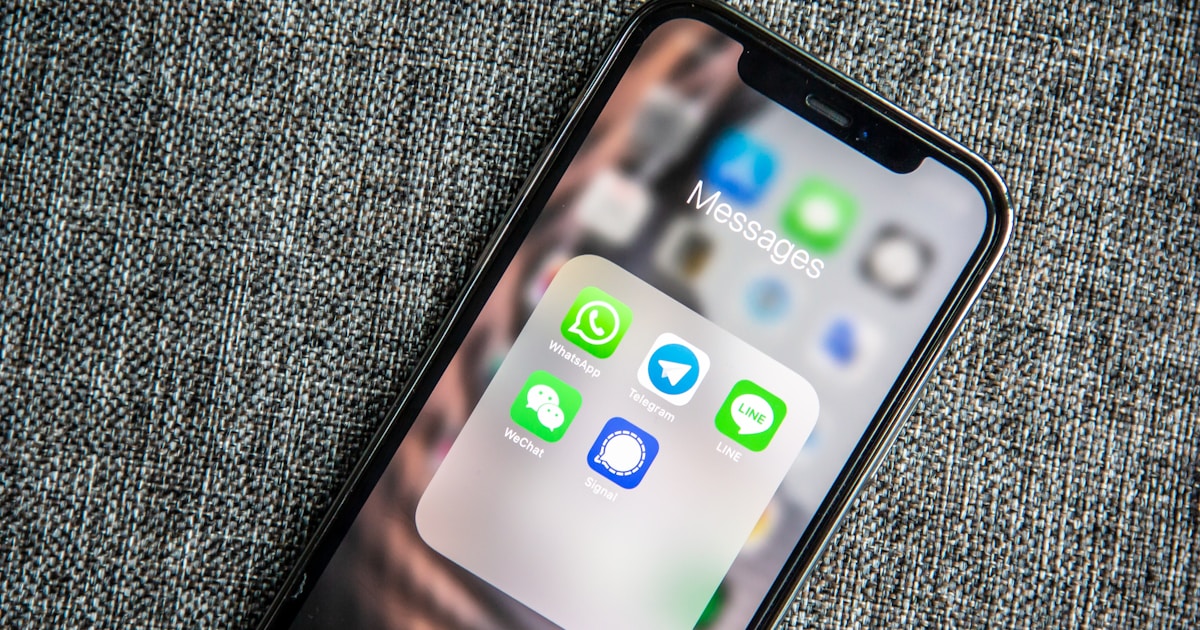
WhatsApp for Clinics: The Ultimate Patient Communication Channel
TL;DR — Key Takeaways
- WhatsApp has a 98% open rate vs. 20% for email and 45% for SMS
- 90% of messages are read within 3 minutes of delivery
- Clinics switching to WhatsApp reminders see a 30-40% reduction in no-shows
- WhatsApp Business API costs 40-60% less than equivalent SMS volume
- 67% of Canadian healthcare consumers prefer messaging apps over phone calls or email
- Implementation takes 4 weeks from setup to full deployment
Table of Contents
- Why Traditional Communication Channels Fall Short
- Why WhatsApp Is the Superior Channel
- Key Use Cases for WhatsApp in Clinics
- Implementing WhatsApp the Right Way
- Common Concerns and How to Address Them
- Measuring WhatsApp Communication Success
- Getting Started with WhatsApp for Your Clinic
- FAQ
Did you know that WhatsApp messages have a 98% open rate, compared to just 20% for email and 45% for SMS? In a world where patients expect instant, convenient communication, clinics that rely solely on phone calls and email are falling behind. WhatsApp has quietly become the most effective channel for patient communication — and Canadian clinics are starting to take notice.
With over 2 billion users worldwide and deep penetration across every demographic in Canada, WhatsApp is no longer just a personal messaging app. It is a legitimate business communication tool that can transform how your clinic interacts with patients — from appointment reminders to post-visit follow-ups.
This article explores why WhatsApp outperforms traditional communication channels for clinics, how to implement it effectively, and what to watch out for when it comes to patient privacy and compliance.
Why Traditional Communication Channels Fall Short
The Email Problem
Email was once the gold standard for professional communication. But patient behaviour has changed dramatically. The average person receives 121 emails per day, and most clinic emails end up buried in promotions tabs or spam folders.
For appointment reminders specifically, email has several drawbacks:
- Low open rates: Only 20-25% of patients open clinic emails
- Delayed reading: Patients may not check email until hours or days later
- No real-time interaction: Email is inherently asynchronous and slow
- Spam filters: Automated clinic emails frequently get flagged
⚠️ Warning: When a patient misses an appointment reminder email, the result is a no-show — costing your clinic an average of $150-$300 in lost revenue per missed slot. Over a year, this adds up to tens of thousands of dollars.
The SMS Limitation
SMS performs better than email with open rates around 45-50%, but it comes with its own challenges:
- Character limits: 160 characters is barely enough for basic appointment details
- No rich media: You cannot send images, documents, or interactive buttons
- Cost per message: SMS fees add up quickly, especially for Canadian clinics sending hundreds of messages monthly
- No read receipts: You never know if the patient actually read your message
- Carrier filtering: Bulk SMS messages are increasingly filtered by carriers
The Phone Call Burden
Phone calls remain the most time-consuming communication method. Your front desk staff spends an estimated 2-3 hours daily on the phone — confirming appointments, answering basic questions, and playing phone tag with patients who do not pick up.
Channel Comparison at a Glance
| Metric | SMS | Phone Call | ||
| Open/answer rate | 20-25% | 45-50% | 30-40% | 98% |
| Time to read/respond | Hours-days | 5-30 min | Immediate (if answered) | < 3 min |
| Rich media support | Yes | No | No | Yes |
| Interactive buttons | Limited | No | N/A | Yes |
| Read receipts | No | No | N/A | Yes |
| Cost per message | Low | Medium | High (staff time) | Low |
| Patient preference (2025) | 15% | 18% | 12% | 67% |
| Two-way conversation | Slow | Limited | Yes | Yes |
Why WhatsApp Is the Superior Channel
Unmatched Open and Response Rates
The statistics speak for themselves:
- 98% open rate — nearly every message gets seen
- 90% of messages are read within 3 minutes of delivery
- 45-60% response rate — patients actually reply
- Blue checkmarks confirm delivery and reading
Compare this to any other channel, and WhatsApp wins by a significant margin. For time-sensitive communications like appointment reminders and last-minute schedule changes, this responsiveness is critical.
⚡ Key Insight: The difference between a 20% open rate (email) and 98% open rate (WhatsApp) is not just a better metric — it's the difference between patients who miss appointments and patients who show up prepared. For a clinic with 30 daily appointments, this translates to 4-5 fewer no-shows per week.
Rich Media and Interactive Features
Unlike SMS, WhatsApp supports:
- Images and documents: Send intake forms, post-visit care instructions, or clinic maps
- Interactive buttons: Let patients confirm or reschedule with a single tap
- Location sharing: Help new patients find your clinic easily
- Voice messages: Provide personalized instructions when text is insufficient
- Template messages: Pre-approved message formats for consistent, professional communication
Patient Preference
A 2025 survey of Canadian healthcare consumers found that 67% prefer receiving clinic communications via messaging apps rather than phone calls or email. Younger demographics (18-44) show an even stronger preference at 78%.
Patients already use WhatsApp daily. Meeting them where they already are reduces friction and improves engagement.
Cost Efficiency
WhatsApp Business API messages cost a fraction of SMS messages. For a clinic sending 500+ messages per month, the savings can be substantial — often 40-60% less than equivalent SMS costs. Additionally, WhatsApp conversations allow back-and-forth exchanges within a 24-hour window at no extra per-message cost.
| Monthly Volume | SMS Cost (est.) | WhatsApp Cost (est.) | Savings |
| 250 messages | $25-$50 | $10-$20 | 50-60% |
| 500 messages | $50-$100 | $20-$40 | 55-60% |
| 1,000 messages | $100-$200 | $35-$70 | 60-65% |
| 2,500 messages | $250-$500 | $75-$150 | 65-70% |
💡 Pro Tip: WhatsApp's 24-hour conversation window means you can exchange multiple messages with a patient (e.g., reminder, confirmation reply, follow-up question) all within a single conversation charge. With SMS, every single message is billed separately.
Key Use Cases for WhatsApp in Clinics
1. Appointment Reminders
The most impactful use case. Send automated reminders 24-48 hours before appointments with interactive buttons for confirming, rescheduling, or cancelling. Clinics that switch from email or SMS reminders to WhatsApp typically see a 30-40% reduction in no-shows.
A well-structured reminder includes:
- [ ] Patient name and appointment date/time
- [ ] Practitioner name
- [ ] Clinic address or virtual visit link
- [ ] One-tap confirm/reschedule buttons
2. Appointment Confirmations
When a patient books an appointment — whether online, by phone, or in person — send an instant WhatsApp confirmation. This creates a paper trail the patient can reference anytime and reduces "I forgot" no-shows.
3. Post-Visit Follow-Ups
Following up after an appointment shows patients you care about their outcomes. WhatsApp follow-ups can include:
- Care instructions specific to their treatment
- Links to book a follow-up appointment
- Feedback or review requests
- Medication or exercise reminders
4. Waitlist and Cancellation Notifications
When a cancellation opens up a slot, WhatsApp lets you instantly notify waitlisted patients. The fast response rate means you can fill cancelled slots within minutes rather than hours.
5. Campaign and Promotional Messages
Seasonal flu shot reminders, new service announcements, or wellness tips — WhatsApp campaigns have dramatically higher engagement than email newsletters. Just be careful to respect patient preferences and avoid over-messaging.
6. Pre-Appointment Instructions
For procedures that require fasting, specific clothing, or documentation, sending instructions via WhatsApp ensures patients actually see and read them. You can even include a checklist image they can reference.
Use Case Impact Summary
| Use Case | No-Show Reduction | Patient Engagement | Staff Time Saved |
| Appointment reminders | 30-40% | High | 2-3 hrs/day |
| Booking confirmations | 10-15% | Medium | 30 min/day |
| Post-visit follow-ups | N/A | Very High | 1-2 hrs/day |
| Waitlist notifications | N/A (fills slots) | High | 1 hr/day |
| Campaigns | N/A | 3-5x vs email | 2-3 hrs/week |
| Pre-appointment instructions | 5-10% | High | 45 min/day |
Implementing WhatsApp the Right Way
Use the WhatsApp Business API
⚠️ Warning: Do NOT use a personal WhatsApp account for clinic communications. Personal accounts violate WhatsApp's terms of service for business use, lack audit trails, and create compliance risks.
The WhatsApp Business API provides:
- Verified business profile with your clinic name and logo
- Multiple staff access — your whole team can manage conversations
- Message templates approved by WhatsApp for automated outbound messages
- Analytics on delivery, read rates, and response rates
- Integration capabilities with your clinic management software
Get Proper Patient Consent
In Canada, PIPEDA and provincial health privacy laws require explicit consent for electronic communications. Before sending WhatsApp messages to patients:
- [ ] Obtain written or digital opt-in consent
- [ ] Clearly explain what types of messages they will receive
- [ ] Provide an easy opt-out mechanism
- [ ] Document consent in patient records
Create Message Templates
WhatsApp requires pre-approved templates for outbound business-initiated messages. Design templates for each use case:
- [ ] Appointment reminders (24h and 48h versions)
- [ ] Booking confirmations
- [ ] Post-visit follow-ups
- [ ] Cancellation notifications
- [ ] General announcements
Templates should be professional, concise, and include clear calls to action.
Integrate with Your Clinic Management Software
The real power of WhatsApp for clinics comes from integration with your scheduling and patient management system. Manual WhatsApp messaging is not scalable — you need automated triggers that send the right message at the right time without staff intervention.
Phonix offers built-in WhatsApp integration that connects directly to your appointment calendar. When a patient books, confirms, or needs a reminder, the system automatically sends the appropriate WhatsApp message using pre-configured templates. This eliminates the manual work while ensuring every patient receives timely, professional communication.
⚡ Key Insight: Manual WhatsApp messaging breaks down at scale. A clinic with 30+ daily appointments cannot rely on staff to manually send reminders. Integration with your clinic software is the only way to make WhatsApp communication sustainable and consistent.
Set Response Time Expectations
Patients who message your clinic via WhatsApp expect a response. Set clear expectations:
- Use auto-replies outside business hours
- Aim for a response within 1 hour during business hours
- Use quick replies for common questions
- Escalate urgent messages to appropriate staff
Common Concerns and How to Address Them
"Is WhatsApp HIPAA/PIPEDA Compliant?"
WhatsApp messages are end-to-end encrypted, which provides a strong baseline for security. However, compliance depends on your implementation:
- Use the Business API (not personal accounts)
- Avoid including sensitive health information in messages
- Keep messages focused on logistics (appointments, reminders)
- Document your privacy practices
- Obtain and store patient consent
For Canadian clinics, WhatsApp communication for appointment logistics generally falls within acceptable PIPEDA guidelines when proper consent is obtained.
"Will Patients Find It Intrusive?"
Research consistently shows the opposite. Patients prefer WhatsApp over phone calls because it is less intrusive — they can read and respond at their convenience. The key is frequency: limit messages to relevant, useful communications and always respect opt-out requests.
"What About Patients Without WhatsApp?"
While WhatsApp adoption in Canada is high, not every patient uses it. A good communication strategy is multi-channel: use WhatsApp as the primary channel, with SMS and email as fallbacks. Your clinic software should automatically select the appropriate channel based on patient preferences.
💡 Pro Tip: Configure your clinic software to detect WhatsApp availability automatically. If the patient's number is registered on WhatsApp, send via WhatsApp. If not, fall back to SMS, then email. This ensures every patient gets reached through the best available channel — without any manual checking by staff.
Measuring WhatsApp Communication Success
Track these metrics to evaluate your WhatsApp communication strategy:
| Metric | What to Track | Target |
| Delivery rate | % of messages successfully delivered | > 95% |
| Read rate | % of delivered messages that are read | > 90% |
| Response rate | % of messages that receive a reply | > 40% |
| Confirmation rate | % of reminders resulting in confirmation | > 70% |
| No-show rate change | Before vs. after WhatsApp implementation | -30% or more |
| Patient satisfaction | Survey results on communication preferences | > 4.5/5 |
Most clinics see measurable improvement within the first month of implementing WhatsApp communication, with the full impact visible after 60-90 days.
Getting Started with WhatsApp for Your Clinic
Transitioning to WhatsApp-based patient communication does not have to be complicated. Here is a practical roadmap:
| Week/Month | Action | Goal |
| Week 1 | Choose a clinic management platform with WhatsApp integration | Platform selected |
| Week 2 | Set up WhatsApp Business API account and get verified | Account verified |
| Week 3 | Create and submit message templates for approval | Templates approved |
| Week 4 | Start with appointment reminders for a subset of patients | Pilot launched |
| Month 2 | Expand to all patients and add post-visit follow-ups | Full rollout |
| Month 3 | Introduce campaigns and advanced workflows | Optimization |
Implementation Checklist
- [ ] Select clinic management platform with native WhatsApp integration
- [ ] Apply for WhatsApp Business API access
- [ ] Complete business verification with Meta
- [ ] Design message templates for each use case
- [ ] Submit templates for WhatsApp approval
- [ ] Configure automated triggers in clinic software
- [ ] Update patient consent forms to include WhatsApp opt-in
- [ ] Train staff on WhatsApp conversation management
- [ ] Run pilot with 20-30% of patient base
- [ ] Monitor metrics and adjust messaging strategy
- [ ] Roll out to all patients
- [ ] Add advanced workflows (campaigns, feedback requests)
The clinics that adopt WhatsApp communication early will have a significant advantage in patient retention and operational efficiency. With the right tools, implementation is straightforward and the results are immediate.
FAQ
Is WhatsApp Business API different from the WhatsApp Business App?
Yes, they are fundamentally different. The WhatsApp Business App is a free app designed for small businesses with low message volume — it runs on a single phone and lacks automation. The WhatsApp Business API is a scalable solution that integrates with your clinic software, supports multiple staff members, enables automated message triggers, and provides analytics. For clinics, the API is the only viable option.
How much does the WhatsApp Business API cost?
WhatsApp charges per conversation (not per message). A conversation is a 24-hour window of messaging. Rates vary by country and conversation type, but for Canada, business-initiated conversations cost approximately $0.03-$0.08 each. For a clinic sending 500 monthly reminders, that's roughly $15-$40/month — significantly cheaper than SMS.
Can I send WhatsApp messages to patients who haven't opted in?
No. WhatsApp and Canadian privacy law (PIPEDA) both require explicit patient consent before sending messages. Your intake forms should include a clear opt-in checkbox for WhatsApp communications. Sending unsolicited messages can result in your WhatsApp Business account being suspended.
How quickly do WhatsApp message templates get approved?
Template approval typically takes 24-48 hours. WhatsApp reviews templates to ensure they follow guidelines (no misleading content, proper formatting, clear opt-out option). Straightforward appointment reminder and confirmation templates are almost always approved on the first submission.
What if a patient replies to an automated message with a medical question?
Your automated system should route patient replies to your staff dashboard for manual response. The WhatsApp Business API supports handoff from automated messages to live staff conversations. Train your team on which questions can be answered via WhatsApp and which require a phone call or in-person visit.
Can WhatsApp replace my clinic's phone system entirely?
No — and it shouldn't. WhatsApp excels at appointment logistics, reminders, and routine communication. Complex scheduling, insurance questions, and urgent medical concerns still benefit from phone conversations. The goal is to reduce phone volume by 40-60%, not eliminate it.
Related Articles
- How to Reduce No-Shows in Your Clinic by 80%
- 5 Clinic Workflows You Should Automate Today
- Clinic Marketing on a Budget: 5 Campaigns That Actually Work
Phonix is AI-powered clinic management software built for Canadian clinics. Start free today.